 Brandon Pearce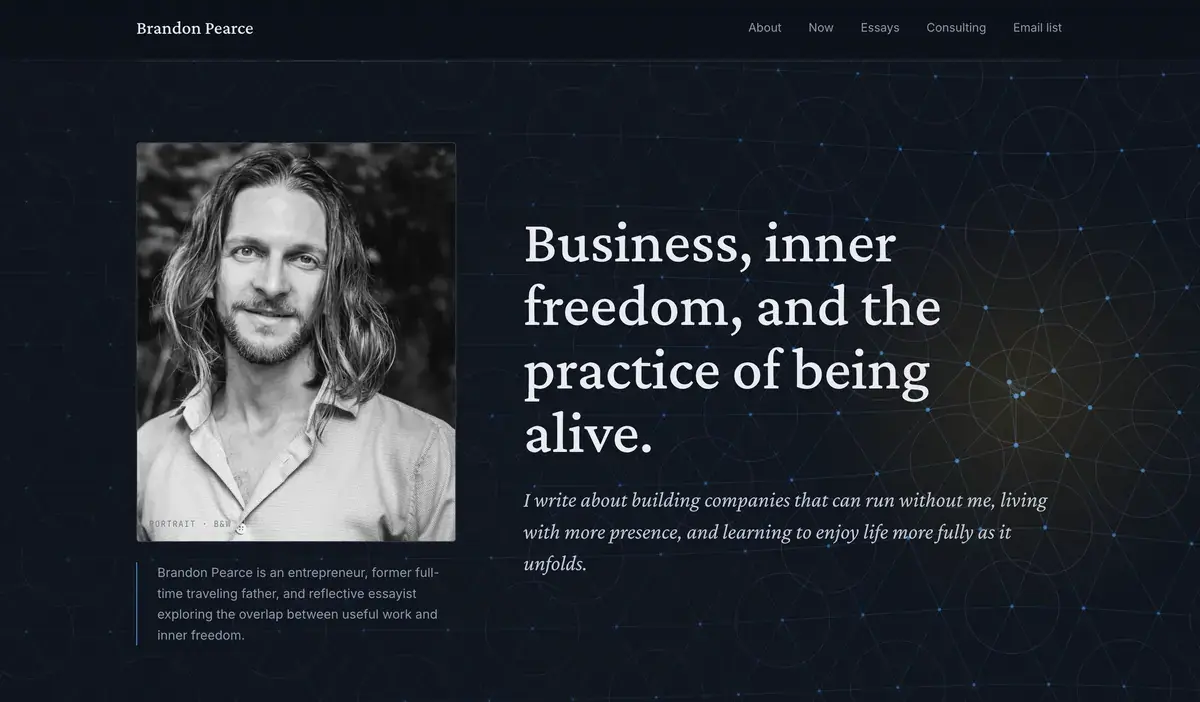
Over twenty years ago, in my very first business, I built custom websites for clients.
I'd open Photoshop, design a layout pixel by pixel, slice it into image chunks, and hand-code every line of HTML and CSS until the page rendered the way I wanted. A simple brochure site could take me weeks.
This past weekend, I rebuilt my entire website in about six hours.
I had AI do most of the work.
The site you're reading
Welcome to the new brandonpearce.com. It's faster, lighter, more mobile-friendly, and looks a lot more like me than the WordPress version I'd been running.
This post is the story of how I built the site, what tools I used, and why I think this kind of project is now within reach for almost anyone who's curious enough to try.
Why I left WordPress
The old site was slow, bloated with plugins, and a chore to update. WordPress is the most popular website platform in the world (it runs about 40% of the internet), and for good reason — but it leans on a database to serve every page, lots of third party plugins, and it's heavier than it needed to be for a simple site like this. Free themes also never quite gave me the look I wanted, and customizing them was its own kind of work.
I wanted something cleaner. Fast. Easy to grow with. And ideally something I could shape with words rather than wrestling with plugins.
Designing it with AI
I started with the design — what should this actually look and feel like?
I tried two tools side by side.
The first was Google Stitch, a free AI design tool from Google. You describe what you want, and it generates a visual concept along with a `DESIGN.md` file — basically a written specification (colors, typography, layout) that another AI tool can read later when it builds the site.
The second was Claude Design. Instead of just handing me a finished mockup, it walked me through the site one component at a time — buttons, cards, navigation, headings — and let me refine each piece until it felt right.
Both worked. Stitch was faster. But the component-by-component review in Claude helped me actually decide what I wanted, instead of just accepting what an AI guessed at. I went with the Claude design in the end.
Building it with AI
For the actual build, I used a combination of Claude Code and ChatGPT Codex — two AI coding assistants that can read your project, write code, and run commands on your computer the same way a developer would.
I exported my old WordPress site as an XML file (the standard backup format for WordPress), handed it to the AI along with the design spec, and described what I wanted. From there, it built.
I chose to build on Next.js, a modern framework for web apps, with MDX files for the content.
If you're not technical, here's the simplest way to think about MDX: it's a plain text file in markdown format — like writing in Notepad or TextEdit — with a few labels at the top that tell the site the title, date, and tags. No database. No content management system. Just files.
This keeps everything lean and fast. To add a new blog post, I create a new file and start typing — and it magically renders on the site. The post you're reading right now is one of those files. (Though, honestly, I wrote my draft in Claude itself, and then it generated the mdx file right where it belonged, which I then edited further.)
Some pages, like the Consulting page, needed more custom design treatment. Even there, the layout is split from the content so small edits don't risk breaking anything. And realistically, I rarely touch a file by hand anymore. I just tell the AI what I want changed — content, layout, image compression, even publishing the code — and it does it.
The geometric pattern
If you're on a desktop, you probably noticed that if you move your mouse around the top of page, there's a geometric pattern in the background that bends toward your cursor and glows where you hover. It's a little geeky, but I like it. For me, it symbolizes the interconnected nature of everything that makes up reality. And I wanted something fun like that to be a part of this site.
Relearning GitHub
I've been managing development teams for years, but I haven't written much code in over a decade. So one of the first hurdles was relearning GitHub — the system developers use to track changes to code, collaborate with teammates, and roll back mistakes.
I embarrassingly forgot the difference between `commit` (saving a change locally) and `push` (sending it up to the shared online copy). I'm not sure I ever properly understood `rebase` versus `merge` — both are ways of bringing different streams of changes back together. I had to look up the basics again.
It was humbling, but useful. Not just for this project, but for the developer teams I now oversee at UniHop and HelpSite, where I'd been feeling a little handicapped without it.
If you're planning to use AI seriously, especially with a team, GitHub is one of those skills that quietly pays for itself. And the basic plan is free.
Hosted free, deployed automatically
I'm hosting the site on Netlify, a service that takes a website and serves it to the world. For a personal site like this, the free plan is generous — it costs me nothing.
The setup is satisfying: I push a change to GitHub, and Netlify automatically publishes the updated site within seconds. No server to log into. No terminal commands to remember. Just done.
Six hours, start to finish
The whole thing took me about six hours.
I want to sit with that for a moment, because the version of me from twenty years ago — the one charging clients thousands of dollars for custom-built sites that took weeks to ship — would not believe it.
It still feels a little like magic that I can do any of this. I describe an idea, and AI builds it for me. If I can dream it, I can build it. That's close to literally true right now.
And — this is the bigger thing — so can everyone else.
The tools have never been easier or more accessible.
What I'm giving up (and what I'm not)
This setup has trade-offs.
The most obvious one: I can't easily edit the site from my phone. There are workarounds — I could layer a lightweight content management system on top of the GitHub repository, or have an AI assistant running on my home computer make changes for me remotely — but I haven't needed it yet.
I may bump into other limits later (built-in search, for instance, would need to be added separately), but I don't plan for this to grow into a massive site. For now, the simplicity is the point.
And when I do want to make changes — at any scale — it's remarkably easy. We're using the same approach right now at UniHop, where we're rebuilding a marketing website with over 2,000 pages. We originally considered Payload CMS, a modern open-source content management system, but eventually concluded it was actually simpler to let the AI work directly with flat files.
I also had the AI run audits on the new site — SEO (Search Engine Optimization, how you show up in Google), AEO (Answer Engine Optimization, how you show up inside ChatGPT and other AI assistants), GEO (Generative Engine Optimization, the broader version of that same idea), accessibility, and performance.
One pattern I've found useful: have Claude build something, then have Codex review it. Or the other way around. Both tools are strong at both jobs — but a second AI almost always catches things the first one missed.
A site that can grow with me
It feels good to have something faster, cleaner, more mobile-friendly, and more like me. Something I can keep adding to and reshape as the seasons of my life change.
If you've been thinking about building or rebuilding your own website, my honest recommendation: just ask your favorite AI to help.
It has never been easier.
Invitation
What's something you've been telling yourself you can't build — and what would it look like to just try?